> ## Documentation Index
> Fetch the complete documentation index at: https://doc.iqqz.com/llms.txt
> Use this file to discover all available pages before exploring further.
# Trae 配置使用API教程
Trae 是字节跳动推出的 AI 驱动编程工作台(IDE),内置了 Builder 智能体、对话流、MCP 等功能,如果你用过 VsCode,会对 Trae 的界面感到非常熟悉。
最新版的 Trae 已经完美支持自定义接口地址了,可以直接在 Trae 里进行相关配置。
Trae 官方下载地址:[https://www.trae.cn/](https://www.trae.cn/)
> **请下载 Trae 最新版**:最新版(V3.3.51 及以上版本)已经支持自定义接口地址。
## 查找API自定义配置入口
打开 TRAE → 设置 → 模型 → 点击「添加模型」或在TRAE【SOLO窗口】下的模型选择框打开模型配置管理窗口。
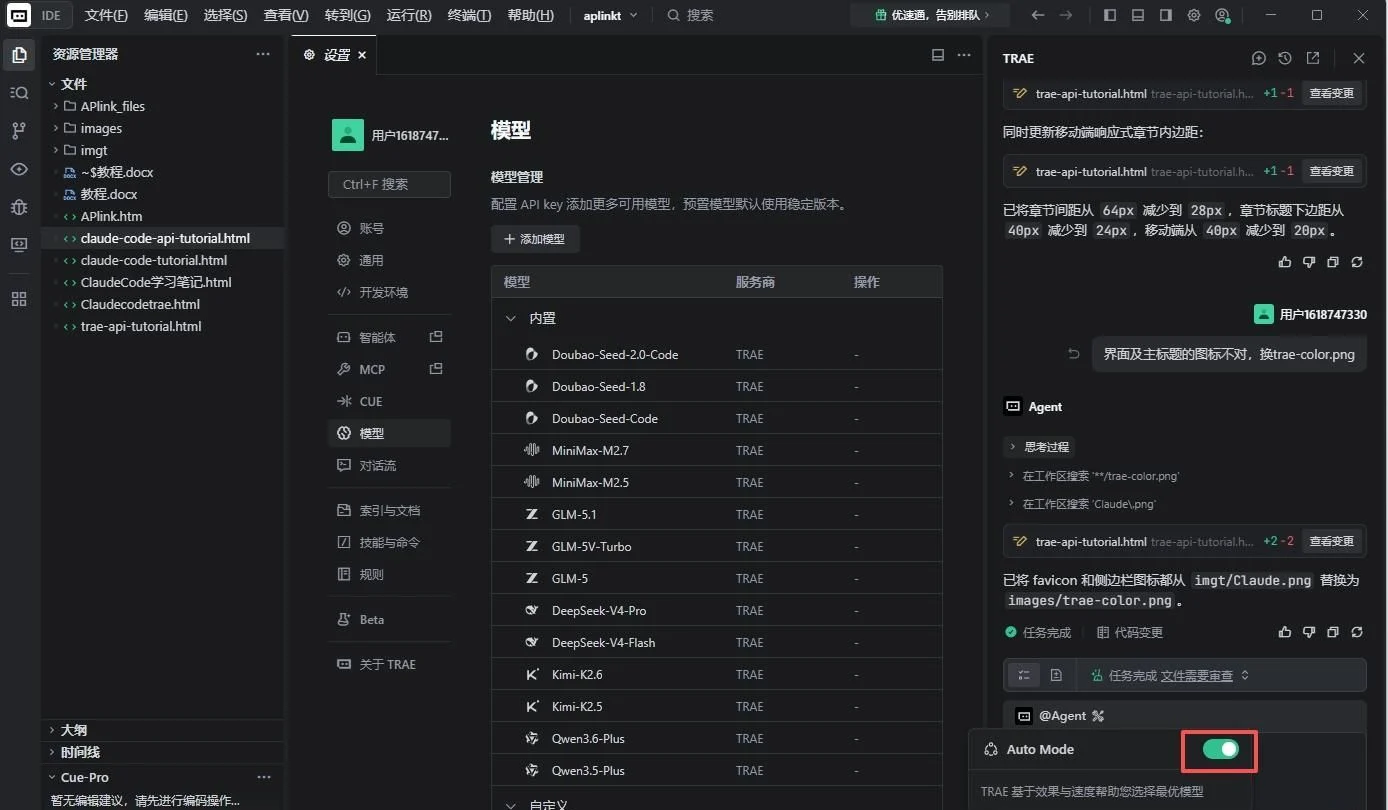 注意:在TRAE【SOLO窗口】下的模型选择框默认【AUTO】选择框要关闭,才能选择不同的模型及增加自定义模型。
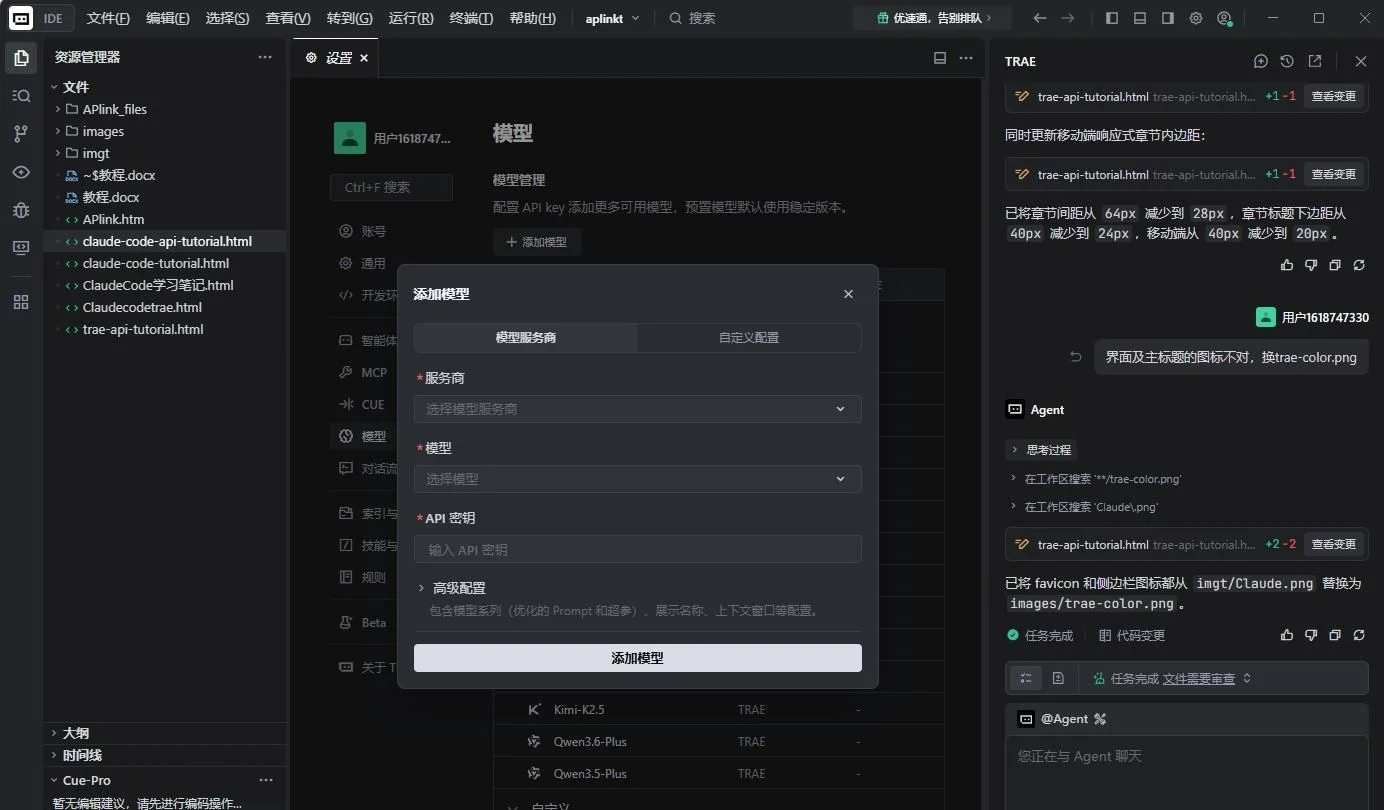 这里小窗口中我们点击第二个Tabs “自定义配置”,接下来开始绑定我们的API。
## 配置第三方API模型
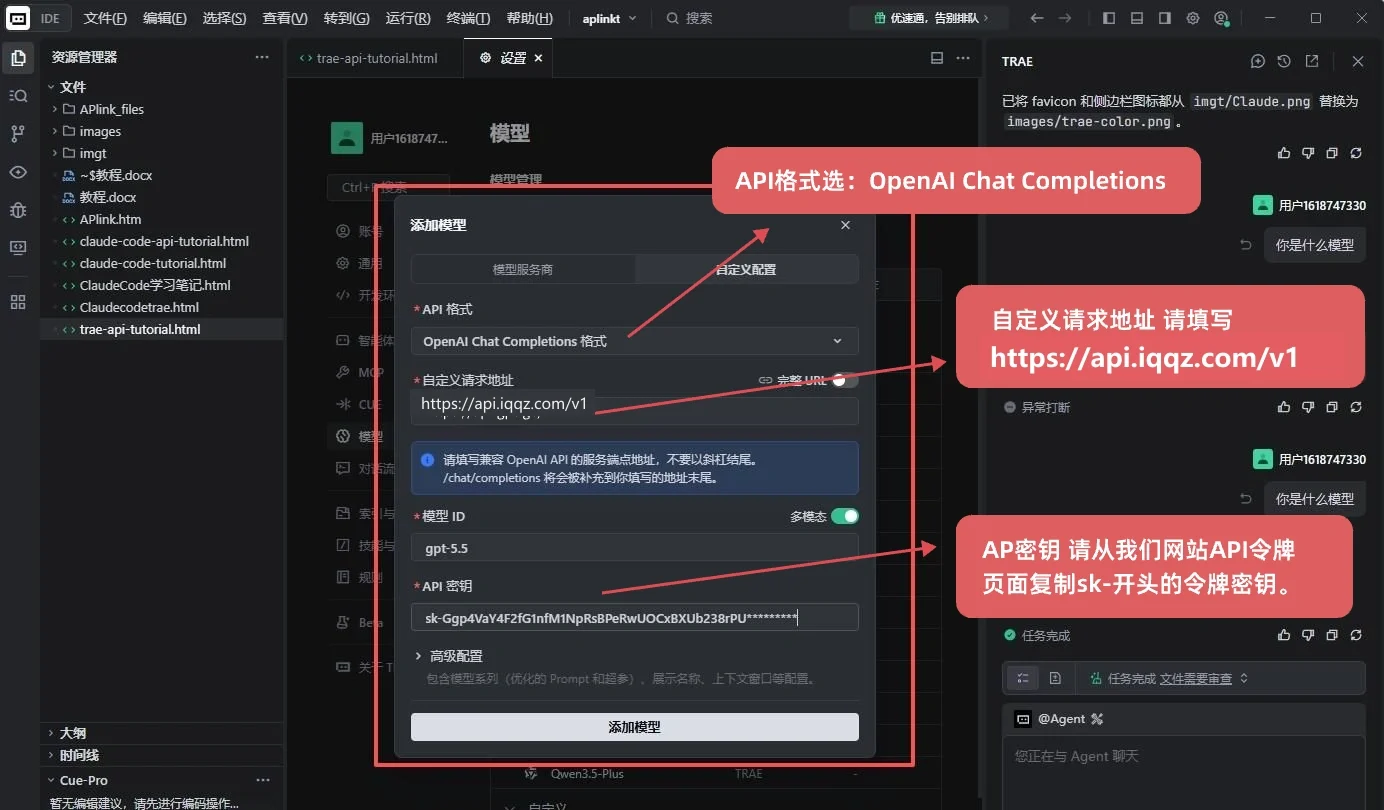
API接口格式有多种,我们推荐OpenAI或Claude,如果您只使用Claude模型推荐配置为Claude格式。OpenAI格式兼容本站所有模型。,请根据自己的需求选择。
### 配置OpenAI格式接口
这里小窗口中我们点击第二个Tabs “自定义配置”,接下来开始绑定我们的API。
## 配置第三方API模型
API接口格式有多种,我们推荐OpenAI或Claude,如果您只使用Claude模型推荐配置为Claude格式。OpenAI格式兼容本站所有模型。,请根据自己的需求选择。
### 配置OpenAI格式接口
 ### 配置Claude格式接口
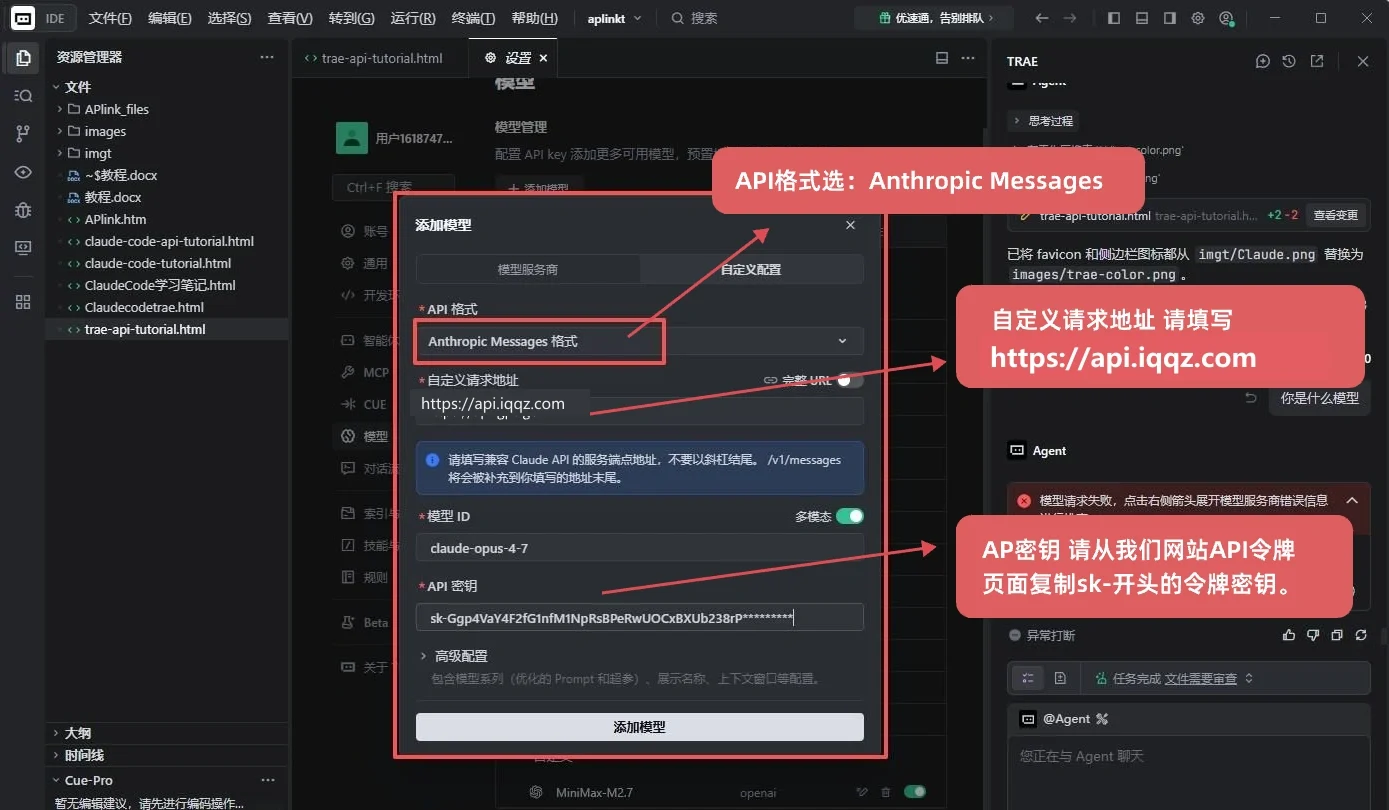 然后在 “模型ID” 中,可以选择或输入希望使用的模型名称,例如 claude-sonnet-4-6,然后保存完成。
> 注意:选择或输入的模型名称必须与[iqqz API平台模型广场](https://api.iqqz.com/models)中的模型名称保持一致,可以直接复制黏贴过来。
## 常见错误排查
**Q1添加模型时提示连接失败?**
请确认 API Key 有效、请求地址格式正确(OpenAI 格式到 /v1,Anthropic 格式到域名)、模型 ID 拼写无误。
**Q2模型列表中看不到自定义模型?**
自定义模型会显示在模型下拉列表底部的「自定义模型」分组中,向下滚动即可找到。
**Q3对话时报错 401 Unauthorized?**
API Key 无效或已过期,请到本站“API令牌页面”重新创建密钥。
然后在 “模型ID” 中,可以选择或输入希望使用的模型名称,例如 claude-sonnet-4-6,然后保存完成。
> 注意:选择或输入的模型名称必须与[iqqz API平台模型广场](https://api.iqqz.com/models)中的模型名称保持一致,可以直接复制黏贴过来。
## 常见错误排查
**Q1添加模型时提示连接失败?**
请确认 API Key 有效、请求地址格式正确(OpenAI 格式到 /v1,Anthropic 格式到域名)、模型 ID 拼写无误。
**Q2模型列表中看不到自定义模型?**
自定义模型会显示在模型下拉列表底部的「自定义模型」分组中,向下滚动即可找到。
**Q3对话时报错 401 Unauthorized?**
API Key 无效或已过期,请到本站“API令牌页面”重新创建密钥。